
You're guided. You stay in charge.
Kame walks with you as you write your manga: simple questions, a step-by-step plan, your characters, your world. Nothing goes into your story without your OK.
Free. For Windows 10 and 11, and Android 7 or later. Version 0.1.6.
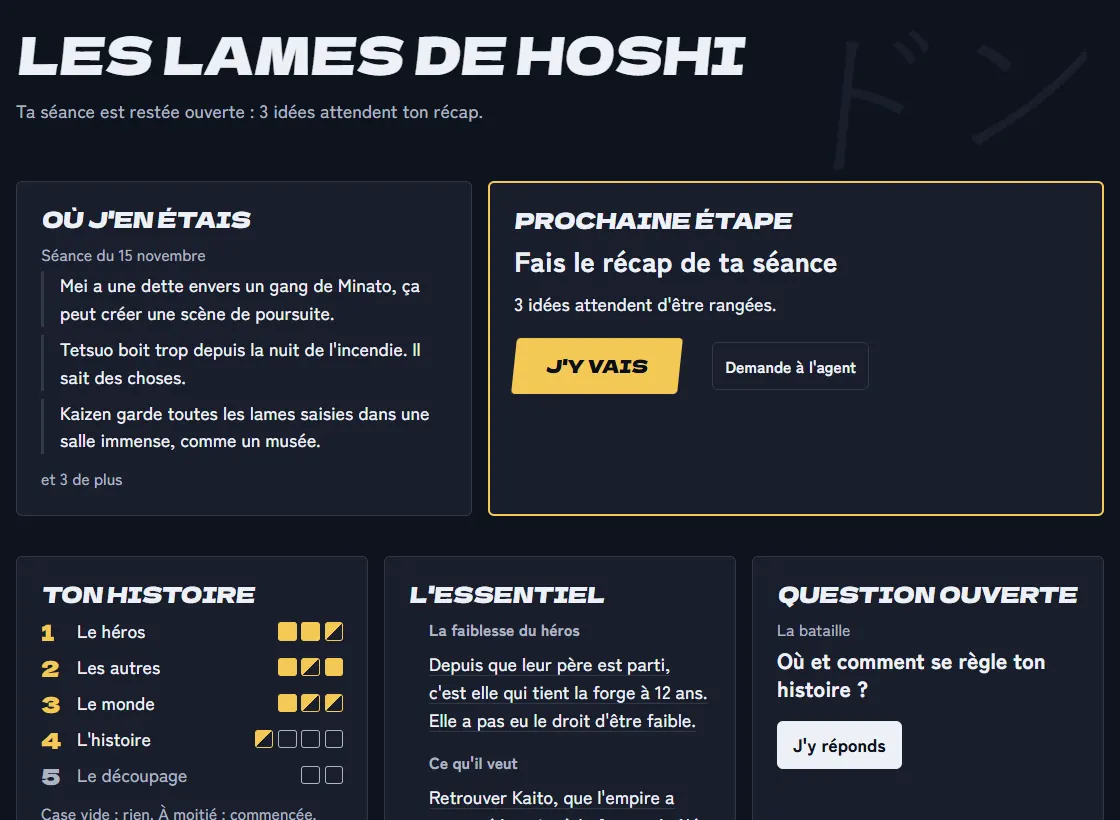
A clear path, from idea to chapter
You always know what to do next. And your whole manga lives in one place.
-
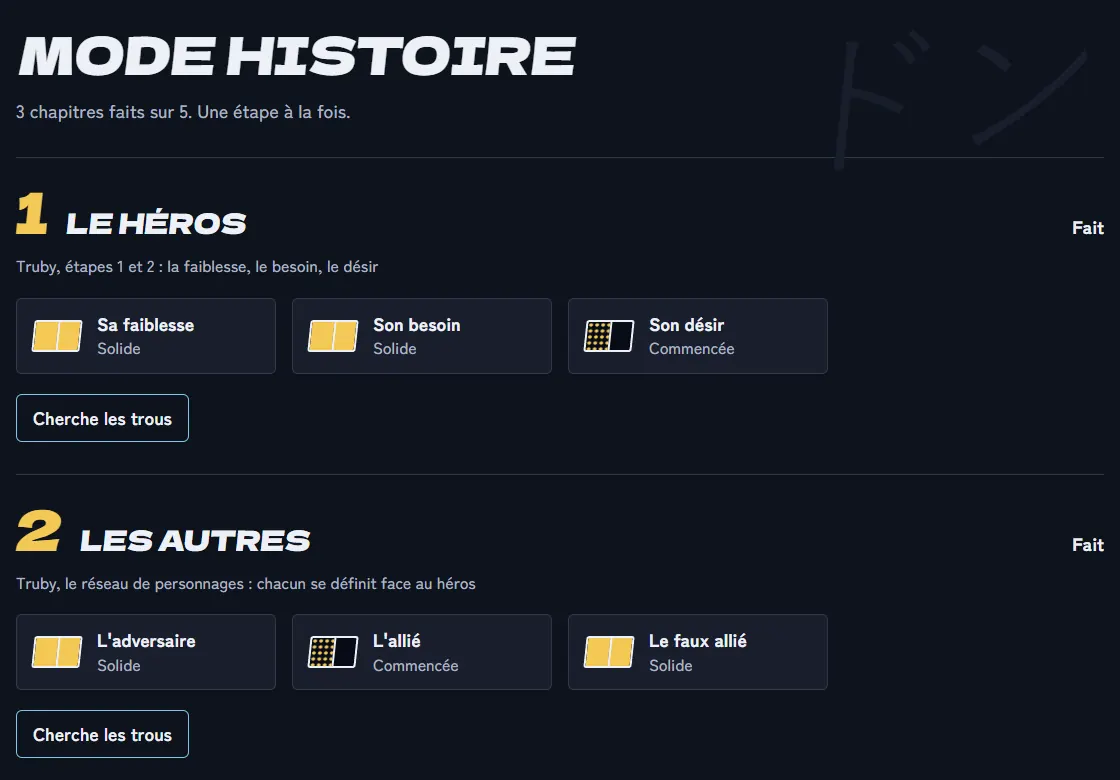
Story mode
5 chapters, 15 steps, one at a time. Each step asks simple questions. Gauges show what holds up and what's missing.
-
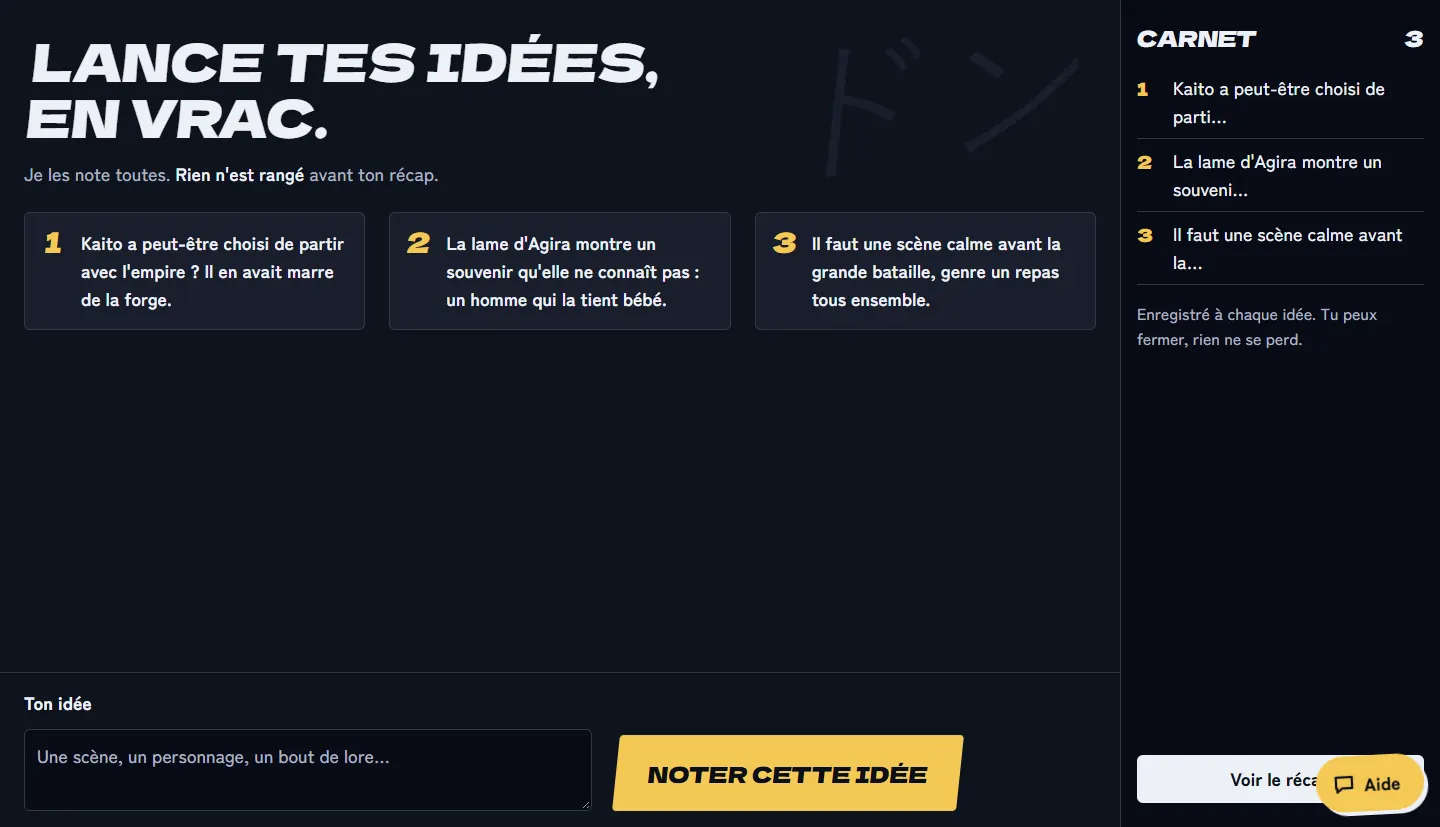
The session
Write freely, no self-censoring. Everything lands in your notebook. The recap puts each idea where it belongs.
-
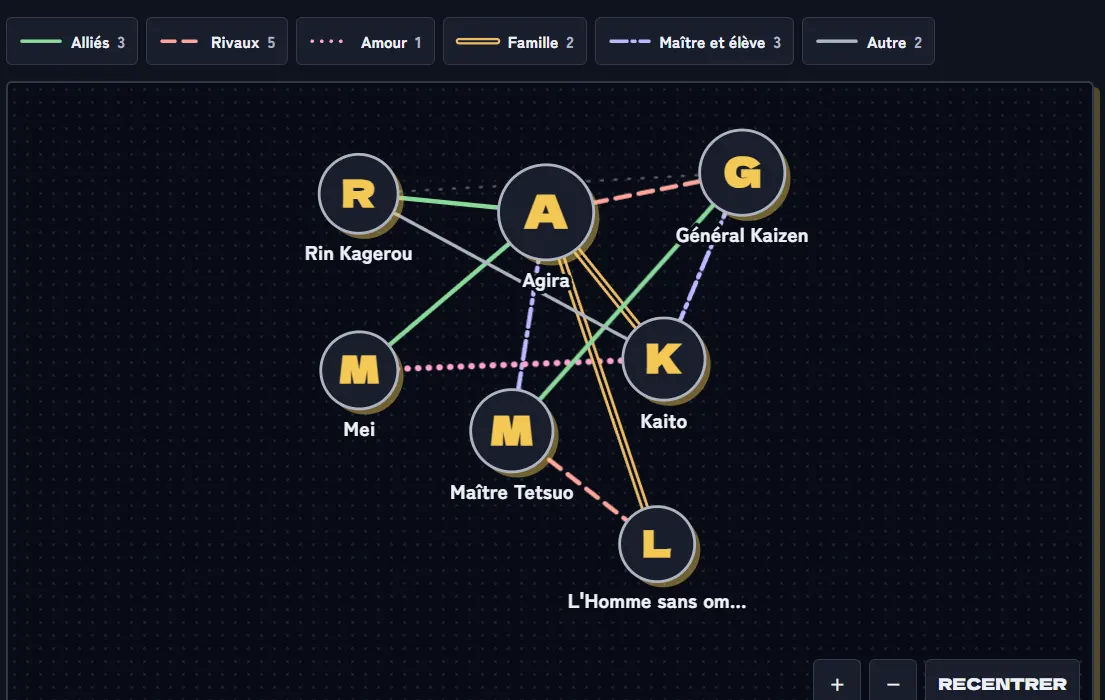
Characters and network
One card per character. The network and its timeline show who loves, betrays or trains whom, chapter after chapter.
-
World maps
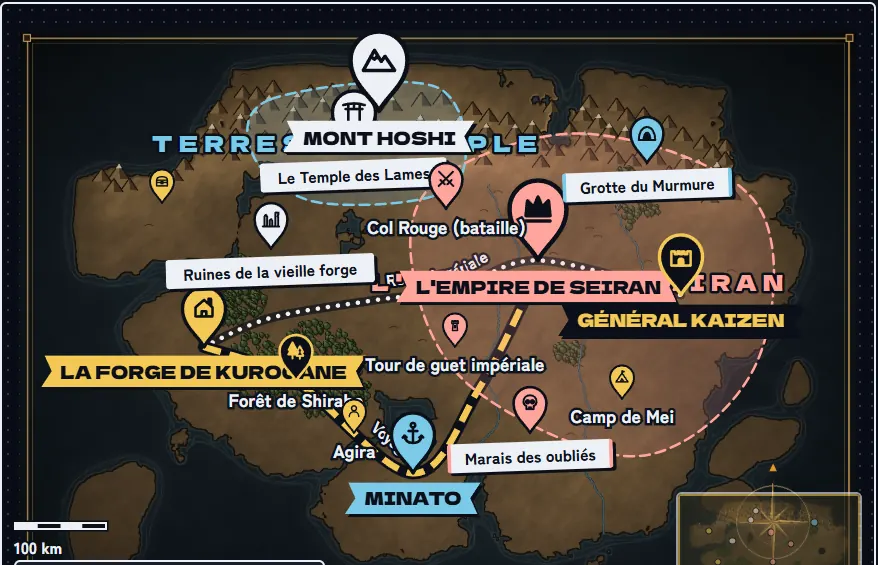
Import your drawing, place landmarks, trace roads and borders. Every landmark opens its own sheet.
-
Starting points
Blank page? Pick a theme, answer three questions. Your manga is off.
-
Memory
Nothing gets lost. Kame saves on its own every 10 minutes and keeps the last 30 copies.
-
Sounds
Every action gets its own little manga sound. You can mute sounds and tone down animations.
You stay in full control
It's your manga. Kame organizes, guides and asks questions. It never decides for you.
- Nothing goes into your manga without your OK.
- Your ideas stay yours: Kame rewrites nothing.
- No fabricated images: the drawing is all you.
- Your work stays on your device. Export it whenever you like.
- Every tip tells you where it comes from.
Mei owes money to a gang in Minato.
Who in that gang has known Mei since childhood?
After Truby: an old bond with the opponent makes the conflict personal.
Built on the methods of great storytellers
Kame's questions draw on real screenwriting books and real manga artists. Every tip cites its source.
- John TrubyThe Anatomy of Story: the hero's weakness, need and desire
- Robert McKeeStory: the value at stake in every scene
- Yves LavandierWriting Drama: objectives, obstacles, setup and payoff
- Blake SnyderSave the Cat!: the big beats of a story
- Christopher VoglerThe Writer's Journey: the hero's journey
- Brandon SandersonHis laws of magic: powers with limits and a cost
- Hirohiko ArakiManga in Theory and Practice: the character sheet
- Kazuo KoikeHis teaching: a character readers come back to like a friend
- Naoki UrasawaHis interviews: start from the story's “trailer”
- Kishōtenketsu and jo-ha-kyūJapanese structures in four and three movements
Inspired by the methods of these authors. Kame has no connection with them or their publishers.
Who is it for?
For you if…
- You have a manga in your head, but it's going in every direction.
- You don't know where to start, or what to do next.
- You want structure, not someone writing for you.
- You write or you draw, beginner or not.
Not for you if…
- You want someone to write the story for you.
- You're on Mac or Linux (for now).
- You're looking for drawing software.
Questions
Does Kame write my story?
No. It guides you with questions, organizes your ideas and points out the gaps. The words stay yours.
How does the agent work?
Kame's co-writer is an artificial intelligence system: a language model from Mistral AI, a French company. It is optional: everything else in Kame works without it.
When you ask it something, the text it needs to answer is sent to it. Its replies are always labeled “Suggested by the agent”. It makes no images and writes nothing into your manga without your OK.
Where do the tips come from?
From the methods of great screenwriting and manga authors: Truby, McKee, Lavandier, Save the Cat!, Vogler, Sanderson, Araki, Koike… Every tip cites its source. Kame has no connection with these authors.
Where is my manga saved?
On your device (PC or phone). You can export everything. If you like, Kame keeps a copy in your own Google Drive.
Does it work offline?
Yes: sessions, Story mode, characters and maps all work offline. Only the co-writer needs the internet.
How much does it cost?
Nothing. Kame is free, with no ads and no account required. The optional co-writer plugs into your OpenRouter account and its free models.
Which device do I need?
PC: Windows 10 or 11, 64-bit (Kame uses WebView2, already built into Windows 11). Phone: Android 7 or later, 64-bit processor.
What if I don't like Kame?
Just uninstall it. Export your work first if you want to keep it.
Is the app in English?
Yes. Kame speaks English, French, Spanish, Portuguese, German and Italian. You choose in Settings.
Your first chapter is waiting.
Free, for Windows and Android. Your work stays with you.
Download Kame